












WhatsApp +212 772 096 856

TVPikoma – IPTV Subscription for International TV - 60+ Countries

TVPikoma: The IPTV Subscription for Home-Country TV in Your Own Language

Watch the channels you grew up with next to the ones where you live now. TVPikoma puts Arabic, Indian, French, Spanish, German and Turkish TV beside US, UK and Canadian networks: 25,000+ live channels from 60+ countries and 120,000+ films and series. Your login comes over WhatsApp in under 15 minutes. Plans start at $15, and the 24-hour free trial needs no card.

  • 7-day money-back guarantee

  • A person on WhatsApp, 24/7
  • Your login, usually within minutes
TVPikoma international IPTV subscription showing world channels across a television, tablet, laptop and mobile phone
25,000+ Live channels from 60+ countries

Message TVPikoma now and the channels from home can be on your TV this evening. No contract, and no plan renews on its own.

Order on WhatsApp

Every plan comes with a 7-day money-back guarantee

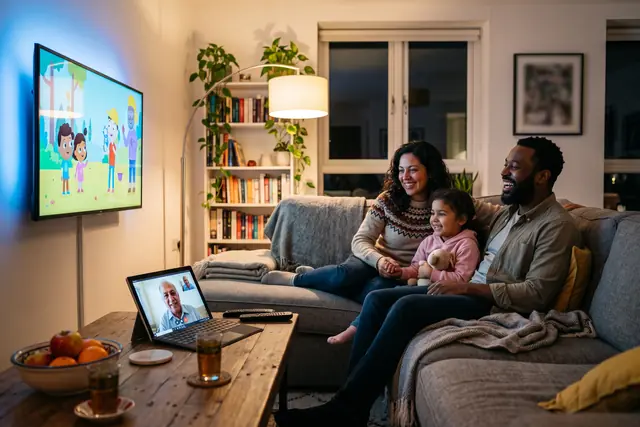
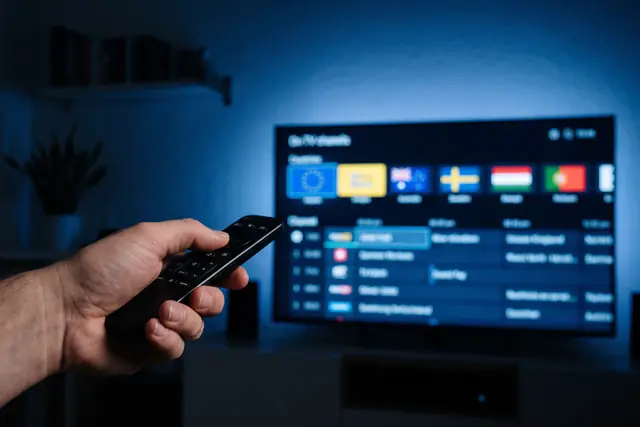
Multilingual family watching home-country channels together on a TVPikoma worldwide IPTV subscription Remote control picking a country group in the TVPikoma international IPTV channel guide
Why TVPikoma exists

International IPTV for Families Who Live Between Two Countries


Moving abroad rarely means leaving your television behind. You still want the evening news from home, the drama everyone there is talking about, and the special broadcasts at Ramadan, Diwali or Christmas. TVPikoma is an international IPTV subscription made for that life. One login carries the country you came from and the country you live in now.

Channels are grouped by country and by language. A parent can open Arabic or Hindi channels while a teenager stays with English ones,. The programme guide lists times where you live, which helps when home is six or nine hours away. Behind it sit 25,000+ live channels, 120,000+ films and series, and servers running at 99.9% uptime.

Pick the page that matches your household. Families from the Gulf, the Levant and North Africa usually begin with Arabic IPTV channels. South Asian homes tend to open Indian IPTV in Hindi, Tamil and more, and Latino viewers look at Spanish-language IPTV. For every region on one page, see worldwide IPTV with TVPikoma, or find out who runs TVPikoma.

  • Made for expats, diaspora families and bilingual homes
  • Channels sorted by language, on servers with 99.9% uptime

Worldwide IPTV on the Screens You Already Have

One login works on Samsung and LG TVs, Fire TV, Android TV, Apple devices, Roku, Windows PCs and MAG or Formuler boxes

There is nothing new to buy before your first channel from home. Choose a device below for written steps, or open the IPTV setup hub for every device. A lot of subscribers start with the Firestick IPTV guide. On Android TV, the TiViMate installation steps suit people who like a classic TV grid. Samsung owners can follow the Samsung Smart TV IPTV guide. Each device gets the same channels in every language.

  • Set up TVPikoma worldwide IPTV on Amazon Fire TV Stick
  • Set up TVPikoma worldwide IPTV on Samsung Smart TV
  • Set up TVPikoma worldwide IPTV on Android TV
  • Set up TVPikoma worldwide IPTV on Apple TV and iPhone
  • Set up TVPikoma worldwide IPTV on MAG and Formuler box
  • Set up TVPikoma worldwide IPTV on Nvidia Shield
  • Set up TVPikoma worldwide IPTV on Android phone and tablet
  • Set up TVPikoma worldwide IPTV on IPTV Smarters Pro
  • Set up TVPikoma worldwide IPTV on Roku
  • Set up TVPikoma worldwide IPTV on Web player and M3U
  • Set up TVPikoma worldwide IPTV on LG Smart TV
  • Set up TVPikoma worldwide IPTV on Windows PC and Mac

Multilingual IPTV With a Guide Set to Your Time Zone

Home can be several time zones away. When the evening bulletin airs in Cairo, Lahore or Madrid, you may be at work or asleep. TVPikoma shows programme times for the place you live, and catch-up lets you watch a missed episode later on channels that offer it. If a channel will not load, a person answers on WhatsApp 24/7.

Football, cricket and other sport from home have their own groups, listed on the sports channels from around the world page. If your TV supports Ultra HD, the guide to 4K IPTV explains the connection and device you need.

See channels by country

25,000+Live TV channels

120,000+Films and series to stream

99.9%Server uptime

60+Countries represented

Home-country TV for people living in the United States · Canada · the United Kingdom · Germany and France · the Gulf states · Australia

Prices

IPTV Plans and Prices for 1 to 5 Screens

Start with how many screens need to play at the same moment, then choose a term. A family with Arabic news in one room and English cartoons in another needs at least two. Every TVPikoma plan opens all 25,000+ channels, the full 120,000+ library and 4K where it is broadcast. Longer terms cut the monthly price, and one WhatsApp message places the order.

6 Months

Popular

$ 45 / 6 months

about $7.50 per month

  • 25,000+ live channels from 60+ countries
  • 120,000+ movies and series to stream
  • Channels grouped by country and language
  • Picture in 4K, FHD and HD
  • TV guide in your time zone, with catch-up
  • Works on TVs, sticks, boxes, phones and PCs
  • 7-day money-back guarantee

Choose this plan on WhatsApp

Every plan includes all 25,000+ channels from 60+ countries, the 120,000+-title on-demand library and 4K wherever broadcasters provide it. No contract, no automatic renewal, and a 7-day money-back guarantee. Prices are shown in USD.

Compare every option on the IPTV pricing page for 1, 2, 3 or 5 devices, check which countries are in the line-up, or try TVPikoma free for 24 hours before you pay.

TVPikoma IPTV subscription guide listing channels by country across three screens
Watching in under 15 minutesPlan, payment and login details all arrive in the same WhatsApp conversation.
Three steps

How to Get Your IPTV Login and Start Watching Tonight

No account forms, no installer visits. Ordering is one short conversation in three steps.

  1. Choose a plan

    Decide how many screens you need and how long, from one month to a year, using the TVPikoma price list. Tap the WhatsApp button and mention the languages your home watches in.

  2. Receive your login

    After payment, we send a username, password, server address and M3U link in the same chat. It usually takes under 15 minutes.

  3. Install an app and watch

    Set up IPTV Smarters Pro or TiViMate with the IPTV Smarters Pro setup guide or the guide for your device. Sign in, and all 25,000+ channels appear, grouped by country.

Free IPTV Trial: 24 Hours to Find Your Home Channels

Use the trial to check the news from back home, a drama the family follows and the cartoons your children ask for. Everything is unlocked and no card is needed. The TVPikoma free trial page explains how it works.

No card needed. The button opens WhatsApp with your request written out for you, so you just tap send.

Why TVPikoma

Why TVPikoma Is the Best IPTV Service for Multilingual Homes

A home that watches in two or three languages needs a fair price, quick setup, steady streams and a clear promise if something goes wrong. Here is how TVPikoma handles each.

Simple prices, no surprises

One month costs $15, and a 12-month plan comes to about $5.75 a month. There is no contract, no automatic renewal and no hidden fee.

Everything done in one chat

Ordering, payment and your login happen in a single WhatsApp conversation, usually in under 15 minutes. The same person can walk you through setup.

Stable streams in busy hours

Load-balanced servers keep 99.9% uptime through the evening rush. When your internet slows, switch to an HD or SD version of the channel.

7-day money-back guarantee

If TVPikoma will not play properly on your device and we cannot fix it, you get a full refund. The refund policy has the details.

How TVPikoma Compares With Cable and Typical IPTV

FeatureCable TVTypical IPTVTVPikoma
Monthly costAbout $80 to $150About $10 to $20$15, or about $5.75 a month on the yearly plan
Live channels150 to 3005,000 to 15,00025,000+
Movies and seriesExtra chargeLimited library120,000+, included
4K qualityRareInconsistentIncluded in every plan
Contract12 to 24 monthsNoneNone, and it never auto-renews
Setup timeInstaller appointmentHours to daysUnder 15 minutes
SupportPhone queuesTickets, sometimes24/7 on WhatsApp
DevicesRented cable boxVaries by sellerAll major devices, each with a guide
Money-back guaranteeNoneRare7 days

Cable and typical IPTV figures are general market ranges, not prices from any named company. Watching from Europe? See German TV channels on IPTV and French IPTV for viewers abroad.

Become a TVPikoma IPTV Reseller in Your Community

Wholesale credits and a panel you control

If friends and neighbours already ask you for TV from home, the reseller panel turns that into a small business. Buy credits at wholesale rates, then create, renew and manage accounts yourself. Your customers get the same 25,000+ channels, while TVPikoma runs the servers and backs you with support. The panel is switched on right away, and rates are on the reseller page.

See reseller rates
Frequently Asked Questions

TVPikoma IPTV Subscription FAQ

Clear answers to what people ask us most before they order. The FAQ page covers the rest.

What is TVPikoma?

TVPikoma is an international IPTV subscription that brings 25,000+ live channels plus a library of 120,000+ films and series to your screens over ordinary broadband. Channels from 60+ countries are sorted by country and language, so news and dramas from home sit next to US, UK and Canadian TV. One login covers everything, in 4K, FHD and HD.

Does TVPikoma carry channels from my home country?

Very likely, because the lineup spans 60+ countries. Arabic, Indian and Pakistani, Turkish, French, German, Spanish and Latin American, African and East Asian packs all appear in the app, each in its own folder. Line-ups do change over time, so open the channel list page or run the free 24-hour trial to confirm your favourites first.

How much does TVPikoma cost?

A single-screen month costs $15. Longer terms bring the monthly price down: $29 for three months, $45 for six and $69 for a year, which comes to about $5.75 a month. Households needing 2, 3 or 5 screens pay more, and the pricing page lists each option. Nothing renews by itself and there is no contract to sign.

Where can I buy an IPTV subscription?

You can buy a TVPikoma subscription directly on WhatsApp from this site. Press any order button, say which plan and how many screens you need, and a member of the team replies with payment options for your country. The login details come back in the same conversation, whether you live in Toronto, Dubai or Manchester.

How can I purchase an IPTV subscription?

Purchasing is a short WhatsApp conversation in three steps. Choose a plan, pay using one of the methods the team sends you, then wait for your login, which includes a username, password and server URL. At TVPikoma the whole process usually finishes in under 15 minutes. You fill in no forms, create no website account, and nothing is charged again later.

Can I get IPTV in the USA?

Yes, IPTV works anywhere in the USA with a steady broadband connection. TVPikoma pairs American networks with channels from the places many US families come from, such as Mexico, India, the Philippines and the Arab world. It runs on Firestick, smart TVs, phones and computers, and WhatsApp help is available 24/7 across every US time zone.

Which devices work with TVPikoma?

Nearly any device that can run an IPTV player will work. The list includes Samsung and LG smart TVs, Amazon Fire TV Stick, Apple TV, Nvidia Shield, Android TV boxes, MAG or Formuler boxes, iPhones, iPads and Android phones, plus Windows and Mac computers. The setup section has a short guide for each one, clear enough for relatives to follow too.

How quickly is a TVPikoma account activated?

Most accounts go live in under 15 minutes after payment is confirmed. The login and a guide for your device arrive in the WhatsApp chat where you placed the order. If you want a channel from home ready for a holiday broadcast or the evening bulletin, ordering an hour ahead leaves time to install the app and test it.

Can different family members watch in different languages at the same time?

Yes, as long as your plan covers enough screens. A 2, 3 or 5-device plan lets one person watch an Arabic drama, another follow Hindi news and the children stay with English cartoons, all at once. The one-device plan allows a single stream at a time, although the app can be installed on as many devices as you like.

Do I need a VPN to watch TVPikoma?

No, TVPikoma plays without a VPN in any country. A VPN may be useful when a broadband company throttles video during busy evening hours. If you already use one, pick a server close to where you actually live rather than in your home country, because a distant server adds delay and can lower picture quality.

What internet speed does TVPikoma need?

Allow about 25 Mbps of steady download speed for a 4K channel, while FHD and HD streams need noticeably less. If several people in the house watch at once, aim for 50 Mbps or more. A network cable to the TV or box usually gives a steadier picture than Wi-Fi, especially in a large or crowded home.

What if TVPikoma does not work on my device?

Start by messaging support on WhatsApp, because most problems are fixed within one conversation. If the service still will not play on your device, the 7-day money-back guarantee refunds your payment in full. Make the request within 7 days of activation. The refund policy page sets out the conditions in plain language.